
Touch Your Heart
All Questions
Please input *#*#001#*#* on the dial pad, then check the number of is_root, if the number is 1, it means your phone is rooted.
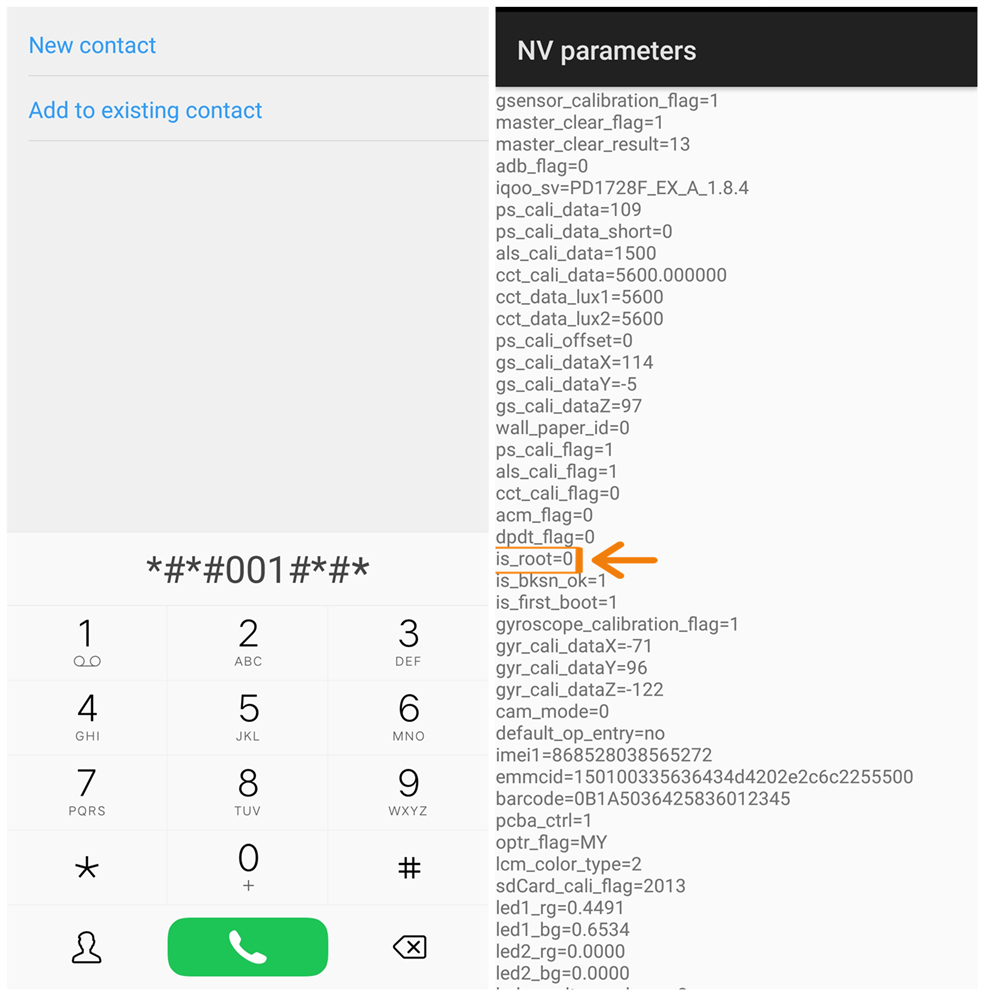
Glad to tell you that our engineers at Vivo service center can help you change it.
Warmly Tips: It can only be changed at service center.
Please don`t worry, it can be solved at our service center. You can make a phone call before you leave out to manage your time.
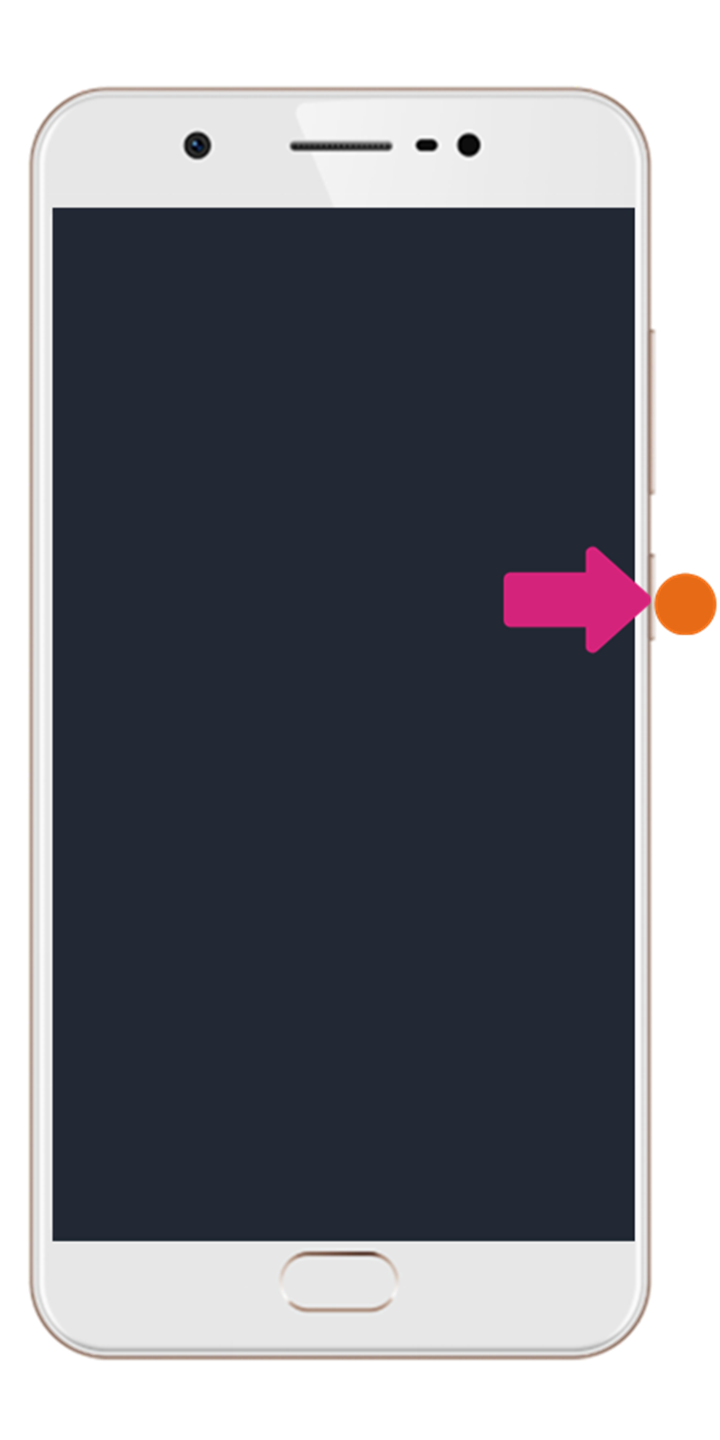
You can press and hold Power button and Volume down button simultaneously to forcibly reboot your phone.
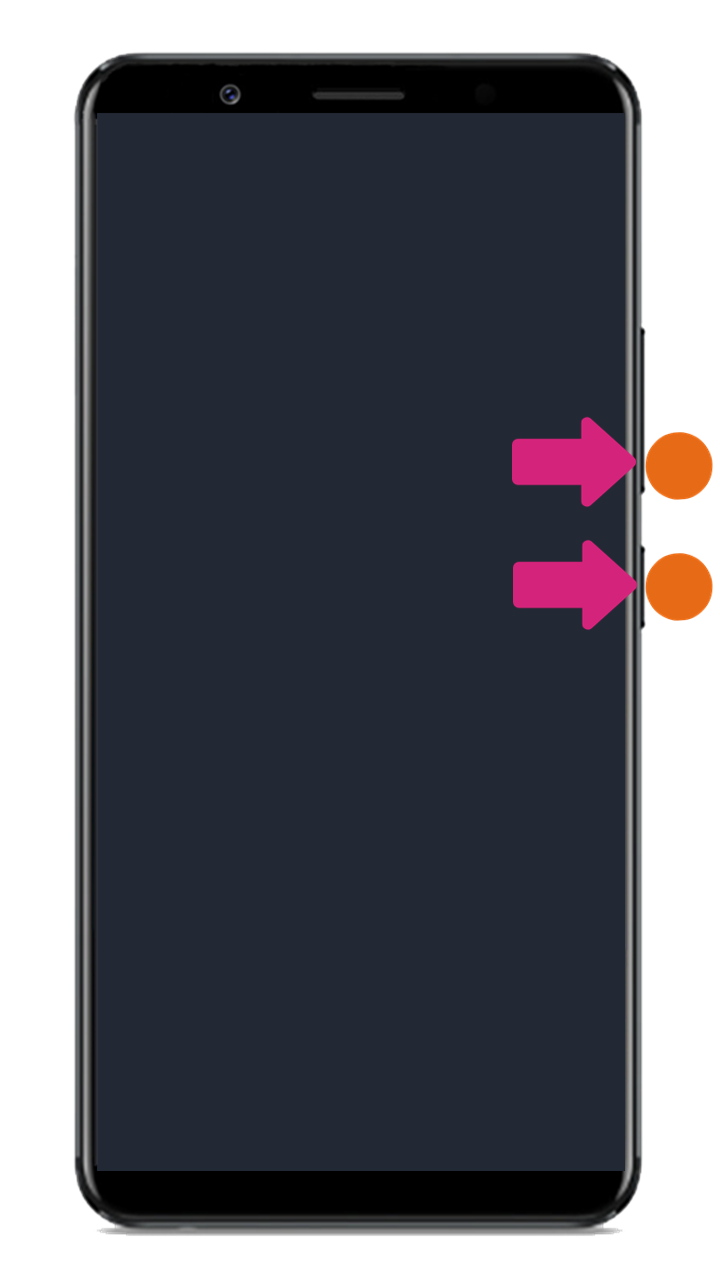
For the phones with the 16:9 display screen, you can press and hold Power button for 30s to forcibly reboot your phone.
Please be assured, our default apps don’t have ads. Some third-party apps may cause this problem. You can uninstall the apps which might cause it. And you can also try to enter Settings>More settings>Backup & Reset>Erase all data(You will lost all the data on your phone, please back up all you data before the operation).
You can long press the “工程模式” icon to make it disappear automatically.
Warmly Tips: If you enter Factory test interface unconsciously, please don`t perform any operations. Vivo will not be responsible for any damage caused or changes that happen during or after the operations on this interface.
Please be assured that it won`t cause any damages on your phone. However, it will clear the system data such as all third-party apps, contacts on your phone. We suggest you back up your important data before performing it.
In order to make sure the system run smoothly and stably, some RAM is reserved for the system and it is not recorded in Running interface. That is why the total amount of the RAM the apps use is less than the Used RAM. Please don`t worry, you can be assured to use your phone.
Please don`t worry, you can perform below steps to change the screen unlock password:
1. Enter the lock screen interface;
2. Mistype the password for 5 times;
3. Touch Forgot, enter the answers of Security questions to retrieve the lock password.
If you forget the answers of the Security Questions, please take your phone, receipt and warranty card to our service center for further assistance.
Kindly Reminder: For the phones with FEB Encryption Technology, there is no “Forgot” option on the lock screen interface. Please take your phone, receipt and warranty card to our service center for further assistance.

For Funtouch OS 3.1 and higher version: Go to Settings>Fingerprint, face and password(Face and password)(Fingerprints and passwords)(Security)>Screen lock>Choose none to disable it.
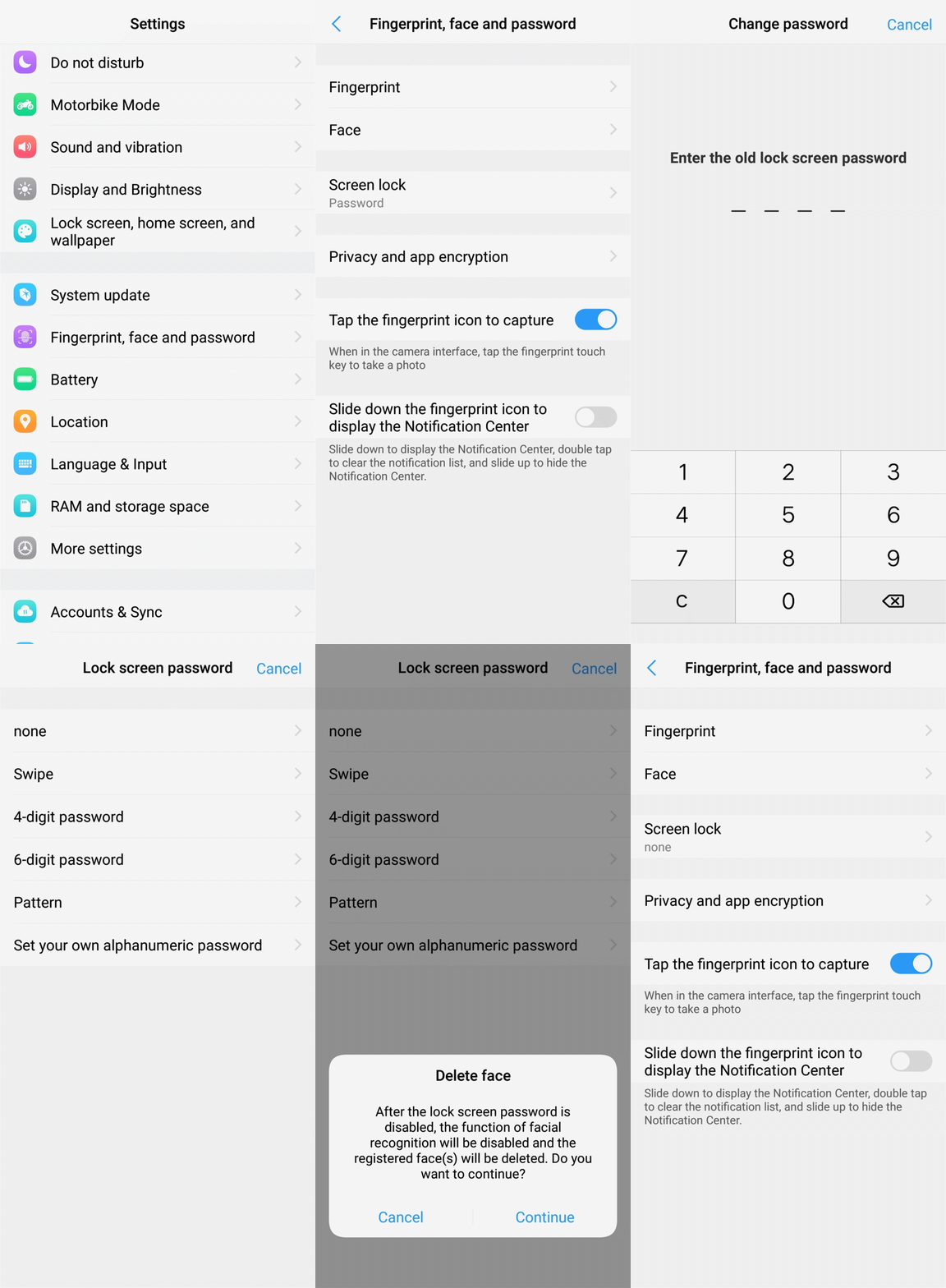
For Funtouch OS 3.0: Go to Settings>Security(Fingerprints and passwords)>touch Disable the lock screen password>enter the old password to disable it.

For Funtouch OS 2.6 and lower version: Go to Settings>Security(Fingerprints and passwords)>Screen lock>enter the old password>select None to disable it.
