
Touch Your Heart
All Questions
You can go to Settings>More settings>About phone>Android security patch level to check the date of your device`s latest security patch. The date on the security patch is not the date at which you might have received Google`s security patch, but the day the patch was first released — in most cases, you’ll receive the patch at a later date than the released date.
A beta release usually means that the system has had all of the major known issues fixed but has not been tested enough for an official release. Your feedback can will be helpful.
An official or open release usually means that the system has gone through a rigorous quality assurance process and that all major technical issues have been identified and resolved. This means that the system is now fully functional, debugged and ready to be released to the general public.
Please be assured that “Restore(Reset) all settings” cannot restore the system version to the original one. If you want to install the original version, please seek help from our service center.
Warmly Tips: Limited by Android 8 and higher version, the phones with Android 8 and higher version cannot flash the lower version.
Under System repair mode, you can download and install the firmware for your phone to repair the system.
Power off your phone, then simultaneously long press the Power button and Volume up button to enter Fastboot mode. Select Recovery mode by pressing Volume down button, then press Power button to enter Recovery mode, and you will find System repair mode.
For the phones with the 16:9 display screen, power off your phone, then simultaneously long press the Power button and Volume up button at the same time to enter Recovery mode, and you will find System repair mode.
Please don’t worry, you can follow these methods to solve it:
1. Reboot your phone;
2. Clear the data of Download manager and System update;
3. Change another stable network, then check again;
4. Go to Settings>More settings>Backup & Reset>Restore(Reset) all settings. Don`t worry, no data or media will be deleted.
If above methods are not effective, please feel free to contact us.
You can go to Settings>More settings>Permission management(Applications)>Autostart to turn on/off the app switch.
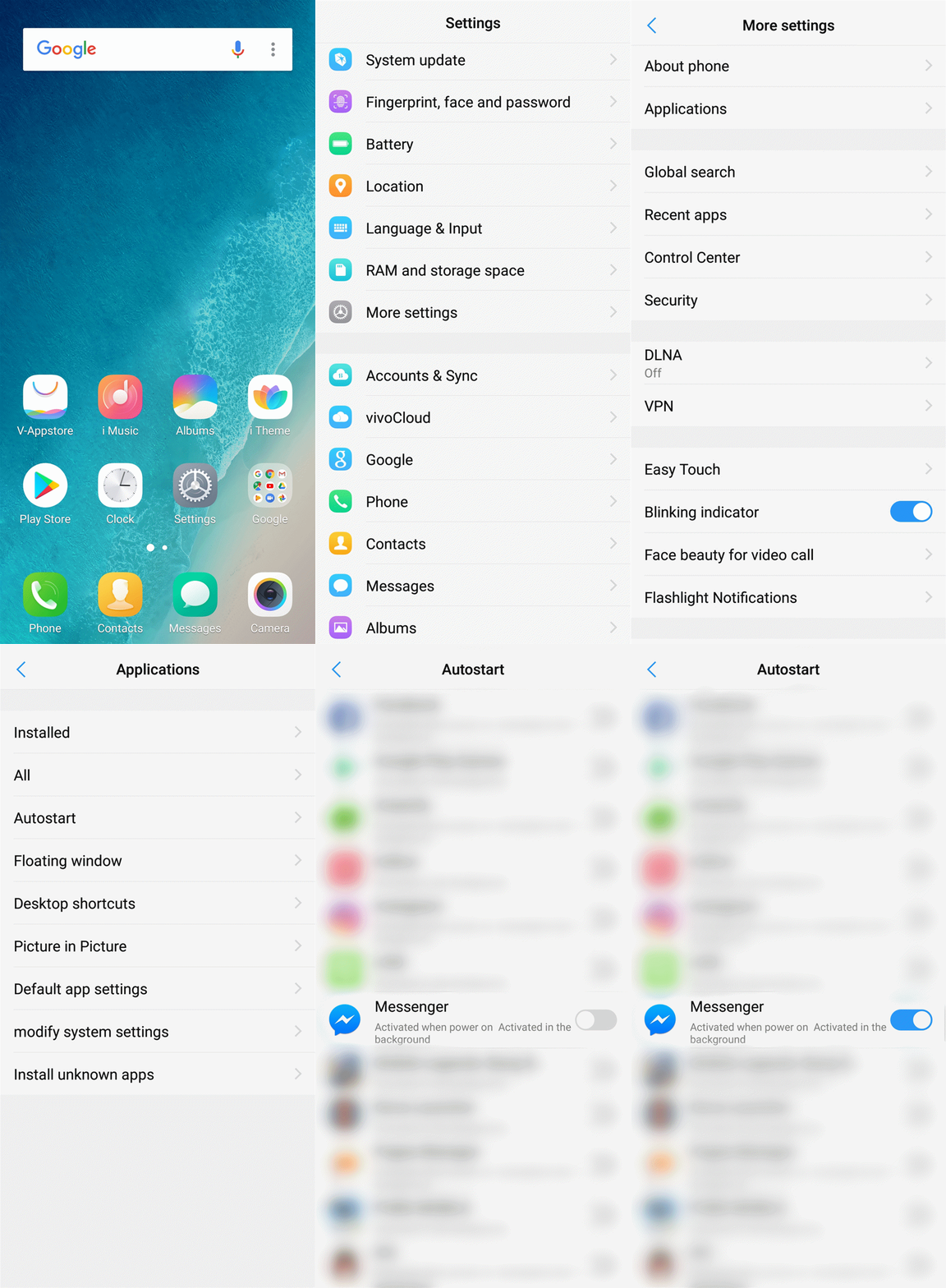
For Funtouch OS 2.6 and lower version: Go to i Manager>App manager>Autostart manager to turn on/off the app switch.

Warmly Tips: The Autostart of some built-in apps is turned on by default.
For the Fullview Display phones with Funtouch OS 3.0 and higher version: Open these apps>slide upward from the bottom to bring up Control Center>slide downward the apps in Control Center, then touch Lock icon . You will see a Lock icon at the upper right of the app. It means the app is added to Speedup Whitelist.

For 16:9 display screen phones with Funtouch OS 3.0 and higher version: Open these apps>press Menu key on the left of Home button, then slide downward to add them to Whitelist.

For the below Funtouch OS 3.0: There are two ways to add the app into Speedup Whitelist.
1st way: Go to i Manager>touch Settings icon at the upper right corner>Speedup whitelist, turn on the switch to add the apps into Speedup Whitelist.

2nd way: Open the app which you want to add it to Speedup Whitelist, then slide upward from the bottom of the screen to bring up Control Center. Long press the app icon until "Add to white list" pops up. Touch it to add the app to Speedup Whitelist.

Please slide upward from the bottom of the screen to bring up Control Center, and then click Speed up shortcut to close all apps running in the background.
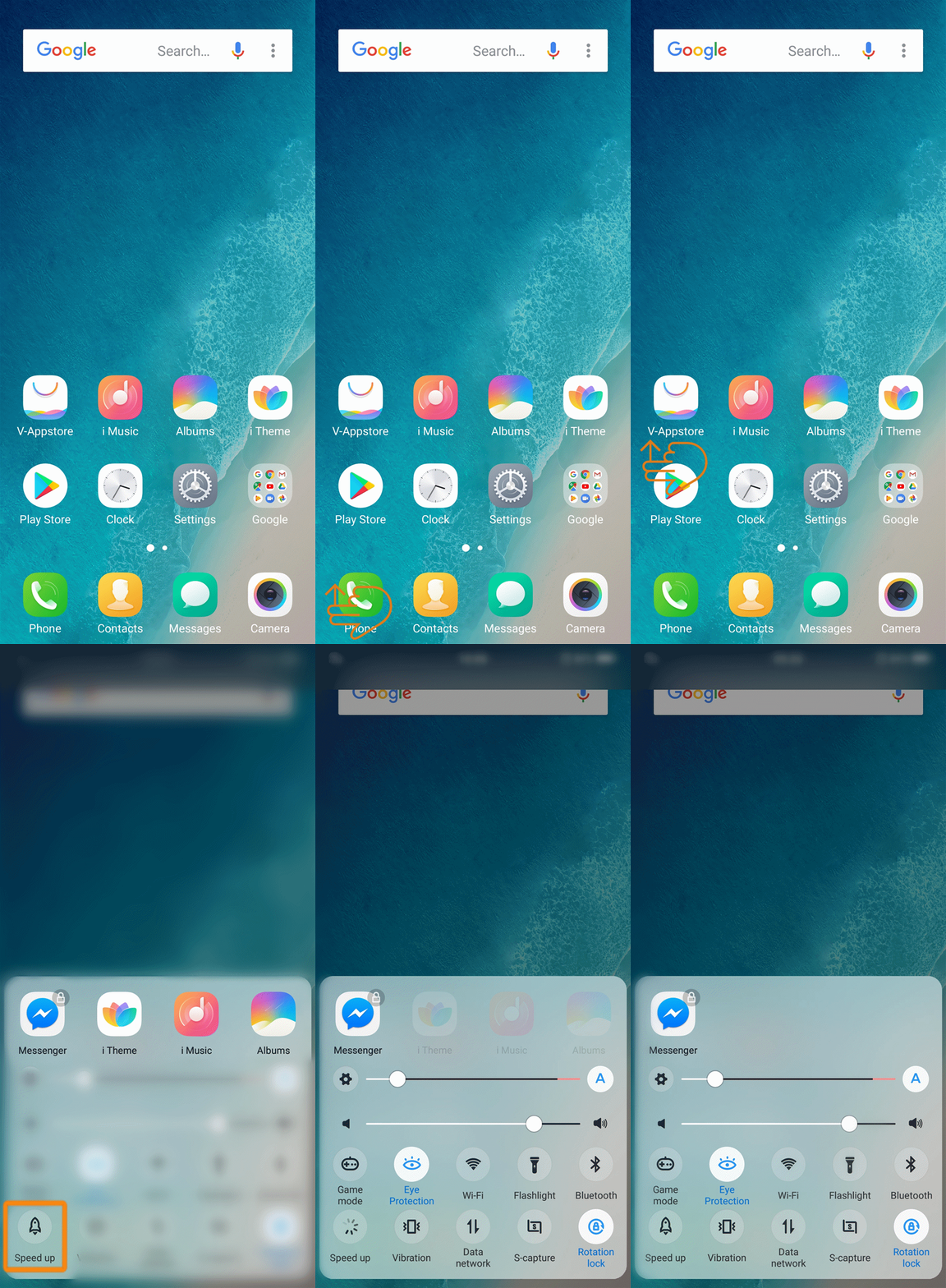
Warmly Tips: Speed up cannot close the apps which are added into Speedup Whitelist. You canslide upward the app icon in Control Center to close it manually.
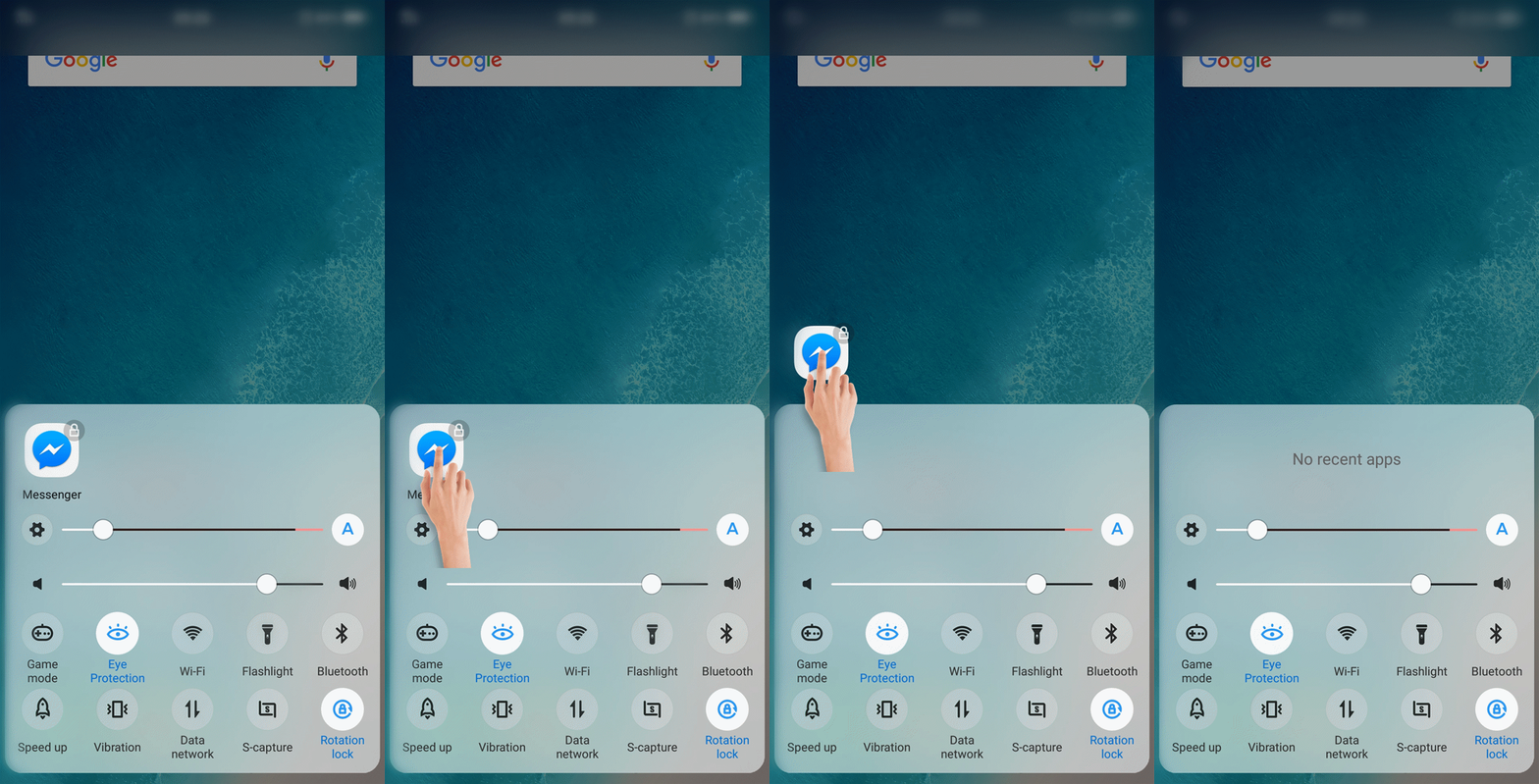
Please don`t worry, follow these steps for a try:
1. Update the app to the latest version;
2. Uninstall the app, then download it from other official channels such as V-Appstore or the official website;
3. Update Google Play Service to the latest version.
If the issue still exists, please give us a feedback.
You can follow these steps to achieve it:
1. Add the apps to Speedup whitelist;
2. Turn the apps on in High background power consumption;
3. Allow the apps to Autostart.