
Touch Your Heart
All Questions
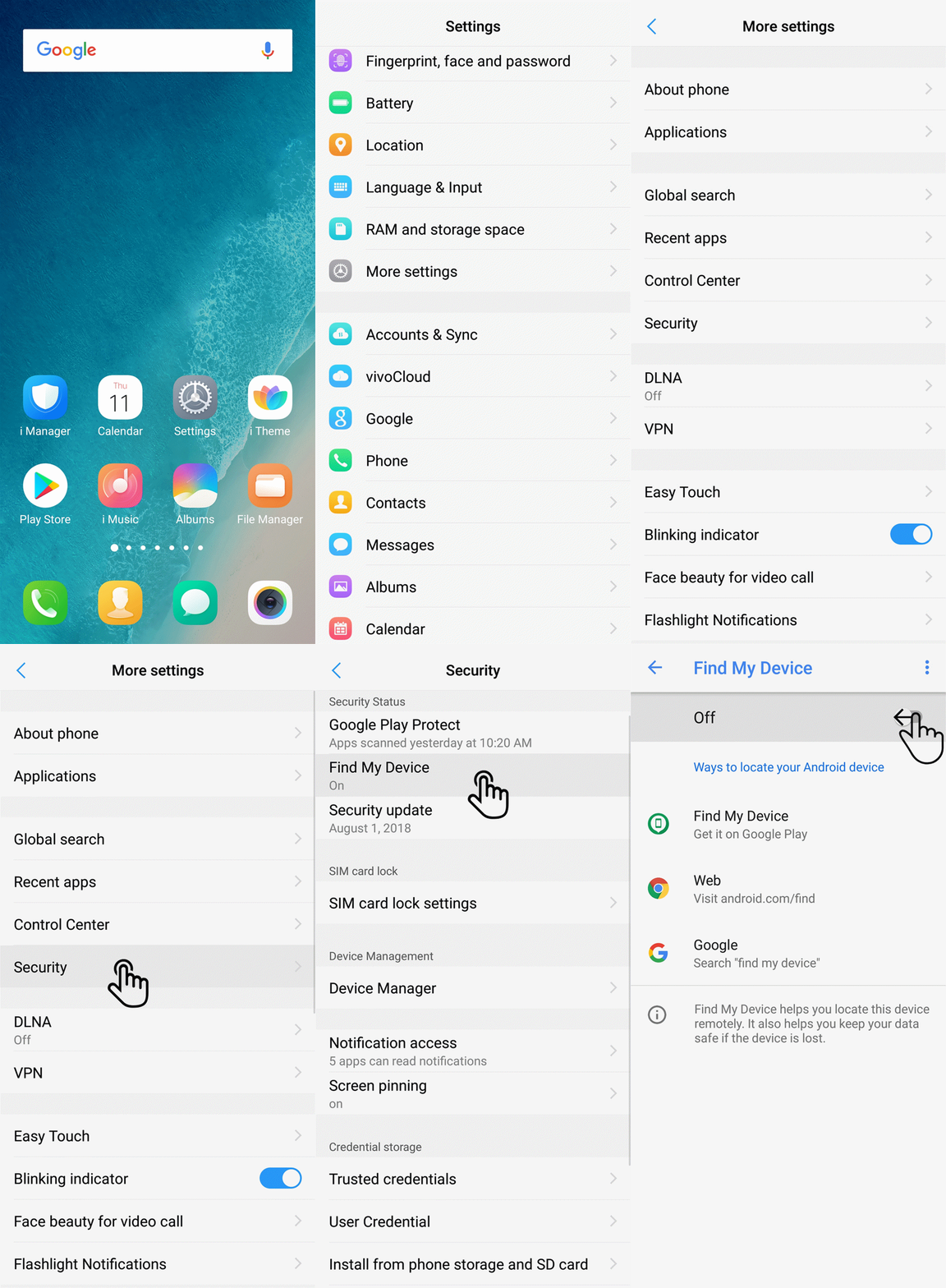
Go to Settings>(More settings>)(Security & Privacy>More security settings)Security>Device Manager(Device administrators), deselect Find My Device to disable it.
Please be assured, it is normal if you enter the encrypted app again within one minute, you are not required to enter the password. This design is used to avoid the frequent encryption operation and improve our users` experience.
For the phones with Funtouch OS 4.5 or higher version, App lock time can be adjusted in Settings>Fingerprints, face and password(Fingerprints and passwords)>Privacy and app encryption>App lock time.
Enter Messages>find the message you want to encrypt>press it until Menu options pop out>select Encrypt(More>Encrypt)>set Passwords, then all messages of the contact will be encrypted.
Warmly Tips: Only the contacts saved in Phone can be encrypted.
Enter Notes>long press your note until Encrypt option occurs>click it to encrypt your note.
Warmly Tips: The Notes encryption feature is supported only in Funtouch OS 3.0 and higher version.
Go to Notes>Long press the encrypted notes until the Decrypt option occurs>click it to decrypt your notes.
Warmly Tips: The Notes encryption feature is supported only in Funtouch OS 3.0 and higher version.
We regret to tell you the phone cannot be located or tracked if it has been flashed.
Currently, Vivo devices with Qualcomm 6150(Qualcomm Snapdragon 675) and Qualcomm 8150(Qualcomm Snapdragon 855) processors, such as V15 Pro, use FBE Encryption Technology.
Currently, our phones cannot be located through SN code. If you cannot locate your phone through Find My Device, we recommend that you can report loss of the SIM card at the operator and change the password of your accounts to avoid more loss.
FBE Encryption Technology is based on file-level encryption technology. Compared with FDE based on disk-level encryption, the system performance of the phone with this function is better and the data encryption of the phone is more flexible.
Due to the inherent design of FBE Encryption Technology, the device cannot obtain data before it is unlocked. Therefore, Vivo phones using FBE Encryption Technology does not have the “Forgot password for the lock screen password” feature. It is recommended that you try to remember your lock screen password. At the same time, in order to strengthen your memory, if the lock screen password is not used every three days, when unlocking, the system will ask you to enter the lock screen password to unlock. The Fingerprint and Face Access can be used normally after unlocking.
If you have forgotten your lock screen password, you can bring your Vivo phone and invoice to our service center for assistance. Please be assured that we will help you with it.